Managed AI Ops · 3 min read
Estimate Follow-Up Automation for Contractors: Win More Quotes Without Spam
A practical guide for contractors and home-service teams that need estimate follow-up without blasting customers or losing human control.
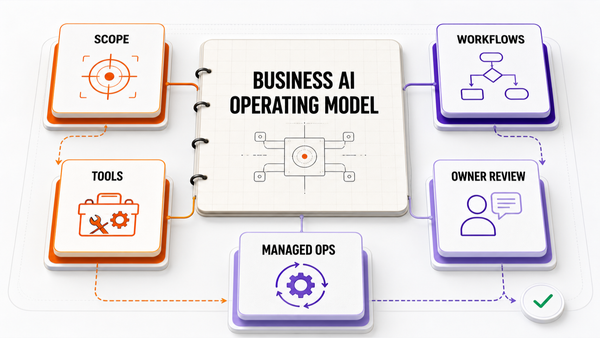
The Omni model: one managed AI Employee owns one recurring workflow; specialist employees add capacity around the same business context; your team keeps the judgment calls.

 Direct answer: estimate follow-up automation for contractors is useful when it finds open quotes, drafts customer-specific reminders, routes pricing-sensitive messages for approval, logs replies, and keeps the next step visible inside the CRM. The safe setup is not "AI sends every quote reminder on its own." The safe setup is AI drafts plus owner, dispatcher, estimator, or office-manager approval where judgment matters.
What estimate follow-up automation needs to understand
Estimate follow-up automation is not just a generic email sequence. A useful system needs estimate age, amount, job type, customer notes, assigned owner, last touch, quoted options, current status, next-step promise, and whether the message needs human approval.
The first job is accurate quote context. If the AI cannot read the estimate, customer record, job notes, and workflow state, the reminder will sound generic or, worse, make a promise the business did not approve.
Why estimates go cold
Most contractors do not lose quoted work because nobody wants the job. They lose momentum because estimates sit across inboxes, field-service software, spreadsheets, texts, and mental reminders. One estimator remembers to follow up, another gets pulled into an emergency, and the owner cannot see which quote needs attention today.
References
Authoritative sources referenced in this article:
Frequently Asked Questions
How does AI automate estimate follow-up sequences?
The AI watches your estimating workflow: when a quote goes out and stays unopened or unanswered, it triggers a sequence — a same-day confirmation, a check-in after two or three days answering questions, and a final polite nudge about scheduling windows. Every message references the actual job details from your estimate, and anything sensitive routes to a human instead of going out automatically.
When should a contractor follow up on an estimate?
Three touchpoints cover most situations: a quick confirmation within 24 hours of sending, a value-add follow-up around day three or four that answers common questions or offers a scheduling incentive, and one last courtesy note at the two-week mark before closing the file. More than that starts to feel like pressure.
What should an estimate follow-up message actually say?
Keep it short and useful: reference the specific job and price, offer one new piece of information — financing options, seasonal availability, a revised timeline — and end with a single clear way to say yes. Messages that only ask “any update?” get ignored; messages that reduce the homeowner’s remaining uncertainty get answered.
Will automated follow-ups feel pushy to homeowners?
Not when the sequence is bounded and genuinely helpful. Three respectful touches over two weeks reads as organized, not desperate — especially when each note adds something real, like a scheduling window or answer to a common question. The systems that feel pushy are the ones that send five identical reminders; approval gates and caps prevent exactly that.
Why do estimates go quiet — and which ones can be saved?
Most silence comes down to timing and friction: the homeowner was comparing bids, got busy, or was waiting on a spouse or insurance decision. A structured follow-up reopens the conversation while your bid is still on the table. Estimates lost purely on price rarely come back — but a large share of “ghosted” quotes were never really dead, just unpursued.