Managed AI Ops · 3 min read
AI Dispatcher for Home Services: Triage Calls Without Losing Control
A practical guide for HVAC, plumbing, and contractor teams evaluating AI dispatchers without replacing dispatcher judgment.
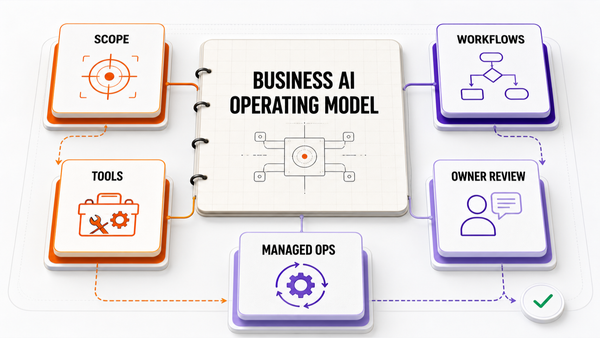
The Omni model: one managed AI Employee owns one recurring workflow; specialist employees add capacity around the same business context; your team keeps the judgment calls.

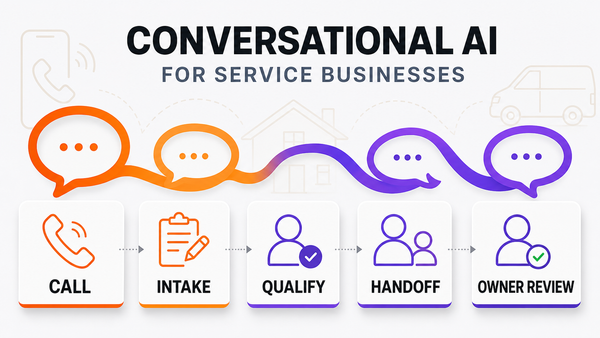
 Direct answer: an AI dispatcher for home services is useful when it classifies incoming calls, summarizes job details, suggests urgency, matches technician skills, checks route or capacity conflicts, and queues the dispatch decision for approval. The safe setup is not "AI replaces the dispatcher." The safe setup is AI recommends and logs while a dispatcher, owner, or office manager approves customer promises and exceptions.
What an AI dispatcher needs to understand
An AI dispatcher is not just a chatbot on top of the calendar. A useful system needs job type, urgency, caller details, address, service area, technician skills, equipment requirements, prior customer notes, current capacity, and whether the next step needs human approval.
References
Authoritative sources referenced in this article:
Frequently Asked Questions
What does an AI dispatcher for home services actually do?
It classifies incoming calls and messages, summarizes each job, suggests urgency, matches work to technician skills and location, checks schedule conflicts, and queues the decision for a human to approve. The dispatcher stays in control; the AI removes the copying, searching, and guesswork between the phone ringing and a truck rolling.
Can general AI app builders like Lovable be used for home services dispatching?
General-purpose AI builders can prototype a dispatch dashboard quickly, which is why they show up in these searches. Production dispatching is a different bar: it needs live integrations with your field-service software, phone and SMS channels, approval controls, and monitoring when an automation misfires. Teams often prototype the idea in a builder, then adopt a managed operations layer for the around-the-clock reliability piece.
How does AI improve dispatch decisions?
By weighing factors a busy human can't hold at once during call spikes: technician certifications, current route and traffic, job duration estimates, warranty versus billable status, and SLA clocks. It proposes the assignment with its reasoning attached, so the approving manager can accept in seconds or override with full context.
Does AI dispatching work for HVAC, plumbing, and other trades?
Yes — emergency-vs-maintenance prioritization is where it earns trust fastest. An AI dispatcher can hold a routine tune-up for tomorrow while flagging a no-heat call tonight, matching whichever tech holds the right licenses, without anyone digging through a whiteboard schedule.
How long before an AI dispatcher pays off?
Most teams see value in weeks, not months, because the first win is administrative: fewer missed after-hours calls and less manual data entry into the FSM. Scheduling optimization compounds as the system learns each technician's real job durations.