Managed AI Ops · 5 min read
Business AI Cost: SaaS, Custom Automation, and Managed AI Ops
A practical business AI cost guide for operators comparing SaaS tools, custom automation, and managed AI Ops.
The Omni model: one managed AI Employee owns one recurring workflow; specialist employees add capacity around the same business context; your team keeps the judgment calls.

Direct answer: Business AI cost depends on the workflow risk, not only the software subscription. A simple SaaS tool may be inexpensive, a custom automation build costs more because it connects systems, and managed AI Ops costs more again because it includes monitoring, QA, approvals, and post-launch improvement.
Question cluster this article supports
- how much does business AI cost
- managed AI Ops
- AI agent implementation partner
- AI answering service small business
- workflow approval
AI operating models for a service business compared
| Model | Effort | Control | Ongoing ops | Best for |
|---|---|---|---|---|
| DIY with off-the-shelf tools | High | Full | Owner-run | Technical owners with time |
| Agency build, then hand off | Medium | High at build | Owner-run after launch | One-time projects |
| Managed AI Ops (Omni Studio) | Low for buyer | Approval-gated | Operator-run with owner sign-off | Owners who want outcomes, not tooling |
The cheapest AI option is not always the lowest-cost option
A subscription price can look small while the operational cost stays hidden. If staff still correct records, chase missing details, rework bad handoffs, and review unclear outputs, the business is paying for the gap in time and lost trust.
That is why business AI cost should be compared by workflow depth. The question is not only what the tool costs. It is what the business needs the AI to do safely.
SaaS AI tools
SaaS AI tools are usually the lowest entry point. They can help with writing, summaries, basic chat, simple automations, or one platform-specific feature. They are useful when the workflow is narrow and the business can manually review the output.
The limitation appears when the tool needs to move across systems. If the workflow touches calls, CRM, calendars, dispatch, quotes, billing, and approvals, a standalone SaaS feature may not own enough of the process.
Custom automation builds
Custom automation costs more because the work includes mapping triggers, fields, source systems, tool permissions, error handling, and handoff logic. This can be the right path when the business has a clear process that needs to be connected.
The build still needs an owner after launch. Without monitoring, even a good automation can drift when staff change rules, tools update, data quality drops, or customers ask questions outside the expected path.
Managed AI Ops
Managed AI Ops includes the implementation plus the operating layer. That means monitoring, review, QA, exception handling, prompt or rule changes, source updates, and approval-gate maintenance.
It costs more than a simple tool because the value is not only the first build. The value is keeping the AI useful when the workflow meets real customers and real staff behavior.
How to budget by risk
A low-risk workflow can usually start with a smaller tool budget. A workflow that touches customer promises, scheduling, pricing, compliance-sensitive language, or multiple internal systems needs more design and review budget.
Budget should also include QA time. Testing happy paths is not enough. The business should test angry customers, missing data, urgent requests, tool failures, and staff overrides before expanding the workflow.
What buyers should include in the real cost
The real cost includes discovery, setup, integrations, source cleanup, testing, staff training, ongoing monitoring, and review time. It also includes the cost of mistakes if the AI is allowed to make promises without a clear approval path.
For a narrow workflow, the buyer may only need a simple tool, a small setup, and a weekly check. For a front-office or dispatch workflow, the buyer should expect deeper work around routing rules, CRM fields, owner review, and exception handling.
This is why two AI quotes can look very different. One quote may be a software feature. Another may be an operating service that owns the workflow after launch. Buyers should compare what is included, what is excluded, and who is accountable when the system fails.
A useful budget conversation should separate platform fees, implementation labor, integration work, support, monitoring, and improvement cycles. If those pieces are bundled together, ask what happens when the workflow needs changes after the first month.
The best budget is tied to a business outcome. If the goal is cleaner intake, faster follow-up, better escalation, or fewer manual corrections, the cost should be judged against those operating signals rather than a generic AI feature list.
Internal routes to review next
If you are comparing cost options, start with managed AI Ops and the AI agent implementation partner route.
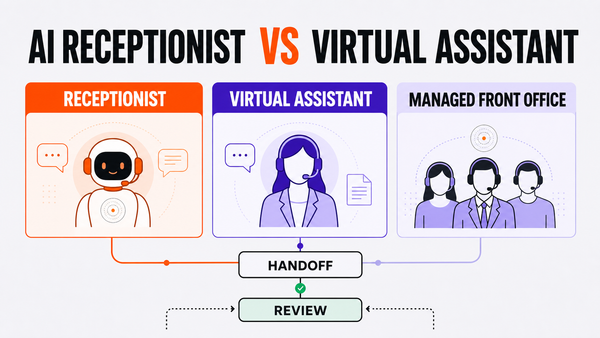
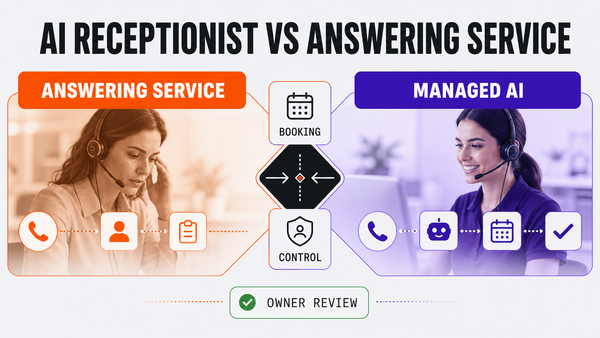
For front-office cost context, review AI answering service for small business, AI receptionist pricing for home services, and AI automation company vs managed AI Ops.
External reference
For broader small-business AI context, see SBA guidance on AI for small business.
Frequently asked questions
How much does business AI cost?
Business AI cost depends on scope, integrations, volume, risk, monitoring, and support. A simple SaaS tool costs less, while custom automation and managed AI Ops cost more because they include workflow design, QA, and ongoing review.
Why does managed AI Ops cost more than a SaaS AI tool?
Managed AI Ops includes post-launch ownership: monitoring, exception review, source updates, approval gates, and workflow improvement. A SaaS tool may provide a feature, but it usually does not own the full operating process.
What is the hidden cost of cheap AI tools?
The hidden cost is staff time spent correcting bad handoffs, checking unclear outputs, fixing duplicate records, and recovering from customer promises the AI should not have made.
How should a small business budget for AI?
Budget around workflow risk. Low-risk drafting or summaries can start smaller. Customer-facing, multi-system, scheduling, pricing, or approval-heavy workflows need more implementation and monitoring budget.
References
Authoritative sources referenced in this article:
Check whether this workflow is ready for AI Ops
Before expanding the workflow, use the AI Ops readiness scorecard to confirm the owner, source systems, approval gates, exception path, and weekly review loop are clear.
How this guide was reviewed
This guide was built for small-business and service operators comparing managed AI Ops, AI front-office workflows, and approval-gated automation. It was reviewed against Omni Studio's implementation model: one workflow owner, clear source systems, human approval for risky actions, and a weekly improvement loop.
Last reviewed: July 2026. Reviewed by: Omni Studio operator research and implementation workflow.