Managed AI Ops · 2 min read
AI Agent Monitoring Dashboard: What Operators Need To See
AI Agent Monitoring Dashboard: What Operators Need To See: a buyer-focused guide to workflow fit, approval gates, monitoring, and Omni Studio's implementation path.
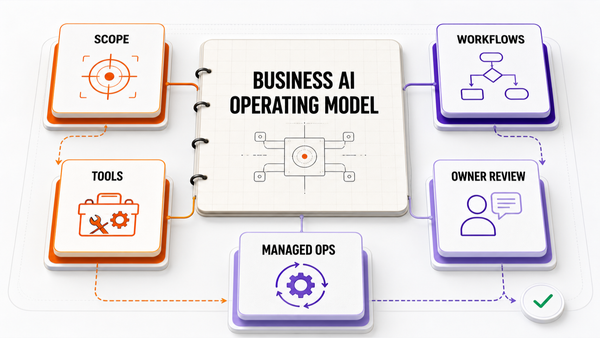
The Omni model: one managed AI Employee owns one recurring workflow; specialist employees add capacity around the same business context; your team keeps the judgment calls.

Direct answer: An AI agent monitoring dashboard should show workflow health, failed tool calls, approval rejects, source freshness, cost, latency, unresolved exceptions, and the next improvement queue.
AI operating models for a service business compared
| Model | Effort | Control | Ongoing ops | Best for |
|---|---|---|---|---|
| DIY with off-the-shelf tools | High | Full | Owner-run | Technical owners with time |
| Agency build, then hand off | Medium | High at build | Owner-run after launch | One-time projects |
| Managed AI Ops (Omni Studio) | Low for buyer | Approval-gated | Operator-run with owner sign-off | Owners who want outcomes, not tooling |

This guide is for business owners, COOs, ecommerce operators, and service-business leaders who are choosing how to buy AI implementation help. The goal is not more AI content. The goal is a page that helps a buyer decide whether Omni Studio is the right partner for an audit, implementation sprint, or managed AI Ops retainer.
Why This Keyword Has Sales Intent
Operators do not need a vanity dashboard. They need a working control panel that reveals when an agent is stuck, expensive, stale, wrong, or ready for a safer expansion.
Searches for AI agent monitoring usually come from someone comparing vendors, tools, or implementation paths. That means the page must answer the buying decision plainly: what the workflow is, where AI fits, what must stay gated, what proof matters, and what the next commercial step should be.
Decision Table
References
Authoritative sources referenced in this article: