Field Service & Back Office AI · 5 min read
Dental AI Receptionist: Calls, Recalls, Scheduling, and Front Desk Overflow
A dental front desk guide to AI receptionist workflows for calls, recalls, scheduling, and human-reviewed patient handoffs.
The Omni model: one managed AI Employee owns one recurring workflow; specialist employees add capacity around the same business context; your team keeps the judgment calls.

Direct answer: A dental AI receptionist can support front desk overflow by collecting appointment requests, recall preferences, cancellation details, and basic routing information. It should not make clinical judgments or expose sensitive patient information without controls. Staff review matters whenever the workflow touches protected information, urgent symptoms, or unusual scheduling needs.
What this workflow actually covers
Dental AI Receptionist: Calls, Recalls, Scheduling, and Front Desk Overflow is not about adding another generic AI tool. It is about designing appointment intake, recall follow-up, cancellation routing, front desk overflow, and staff review so the dental office manager can capture demand, move routine work forward, and still see the moments that need judgment.
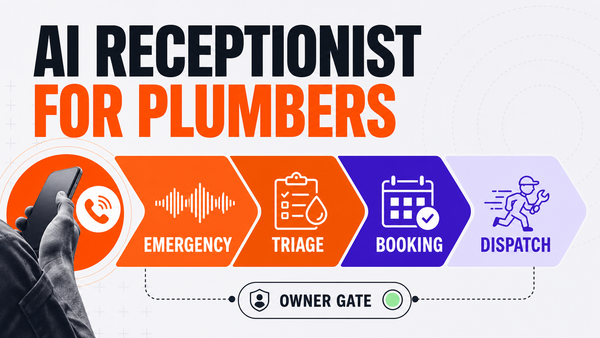
The practical workflow starts with a trigger, such as a call, form, email, invoice state, calendar request, or customer note. AI can collect the required fields, summarize context, classify the request, and prepare the next action. The business still needs a named owner, a source of truth, and a rule for what the AI may not do alone.
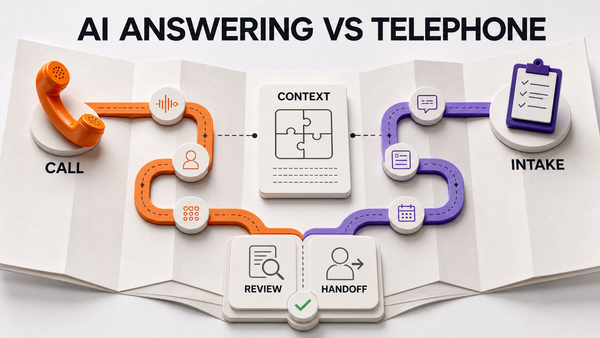
Ways to handle service calls and intake compared
| Option | Coverage | Cost model | Control | Best for |
|---|---|---|---|---|
| In-house receptionist | Business hours | Salary + overhead | Full | High-volume offices with staff capacity |
| Traditional answering service | 24/7 scripted | Per-call / per-minute | Limited (scripts) | Basic after-hours message taking |
| AI receptionist (approval-gated) | 24/7 conversational | Per-minute / managed | Owner sets rules + approvals | Intake, triage, booking with human escalation |
Where AI can help first
AI fits best when the work is repeatable, text-heavy, and easy to review. For this topic, that means appointment intake, recall follow-up, cancellation routing, front desk overflow, and staff review can be broken into consistent intake fields, routing rules, status checks, and review points. The system should improve the quality of the handoff, not hide the handoff from the team.
Useful AI work includes asking the same required questions every time, checking whether a request is complete, drafting a customer-safe response, preparing a task, and logging what happened. That gives the team a cleaner starting point and reduces the amount of manual cleanup after the customer interaction.
What should stay human-approved
The risky parts are clinical questions, urgent symptoms, protected health information, payment disputes, and unusual appointment promises. AI can prepare these cases, but it should not be allowed to finalize them unless the business has a narrow approved rule and a clear audit trail.
This is where Omni Studio's managed AI Ops positioning matters. The workflow needs approval gates, fallback paths, logs, and review cadence. A fast answer is not enough if the team cannot see why the answer was given, where the data came from, and who approved the action.
Implementation checklist
- Define the source system for dental AI receptionist decisions.
- Write the required intake fields before choosing a tool.
- Separate routine drafting from customer-facing commitments.
- Mark the exact situations that must route to a person.
- Log the AI summary, the recommended action, and the approval outcome.
- Review exceptions weekly before expanding the workflow.
How to measure whether it is working
Measure operational signals instead of vanity AI activity. For dental AI receptionist, useful metrics include completed intake fields, review queue volume, response time, staff corrections, failed handoffs, and customer requests that needed escalation.
The strongest signal is not that the AI produced more messages. It is that the team has fewer missing details, fewer unclear tasks, cleaner records, and better visibility into where the workflow still needs human review.
A safe first rollout
The first rollout should stay narrow. Pick one version of appointment intake, recall follow-up, cancellation routing, front desk overflow, and staff review, define the allowed AI action, and keep every sensitive next step in review until the team has enough evidence that the workflow is behaving correctly.
During the first two weeks, the operator should review examples where the AI had missing information, routed the request incorrectly, escalated too slowly, or tried to be more confident than the rules allowed. Those cases are not just errors. They are the training set for tighter instructions, better source data, and clearer approval gates.
After the workflow is stable, expansion should happen one permission at a time. Move from draft-only assistance to reviewed actions, then to limited routine actions only when logs, QA, and fallback paths are already in place. That cadence keeps AI useful without letting it quietly take over decisions the business still needs to control.
How this supports Omni Studio pages
This article should route readers into dental AI receptionist workflows, AI answering service for small business, managed AI Ops, and talk to Omni Studio. Those links keep the cluster crawlable and tell buyers where to go when they are ready to map or implement the workflow.
For related reading, use ai receptionist vs answering service home services and home service ai receptionist integration checklist. The goal is to connect the question to the right operating model, not leave the reader in a disconnected article.
Questions this article answers
Can AI schedule dental appointments?
AI can help when the task is repeatable, source-backed, and reviewable. It should collect context, draft the next step, and route exceptions, while clinical questions, urgent symptoms, protected health information, payment disputes, and unusual appointment promises stay human-approved.
Can AI handle recalls?
AI can help when the task is repeatable, source-backed, and reviewable. It should collect context, draft the next step, and route exceptions, while clinical questions, urgent symptoms, protected health information, payment disputes, and unusual appointment promises stay human-approved.
What patient information should be protected?
The practical answer is to use AI for repeatable preparation work and keep the dental office manager in control of exceptions. That creates speed without losing approval discipline.
When does staff need to review?
A person should take over when the workflow touches clinical questions, urgent symptoms, protected health information, payment disputes, and unusual appointment promises. Those cases need judgment, policy context, and approval logs before the business makes a customer-facing commitment.
External reference
For broader context, review HHS HIPAA Privacy Rule overview.
Bottom line
dental AI receptionist should be treated as an operating workflow, not a novelty feature. The business gets the most value when AI handles the repeatable preparation work and humans keep control over risky or customer-sensitive decisions.
That is the lane Omni Studio should own: managed AI front office and managed AI Ops for businesses that want useful automation without losing review, accountability, or operational trust.
References
Authoritative sources referenced in this article: