Managed AI Ops · 4 min read
Home Service CRM Automation: Follow-Up Without Losing Control
A practical guide for home-service owners evaluating CRM automation: what AI can draft, what staff should approve, and what must stay monitored.
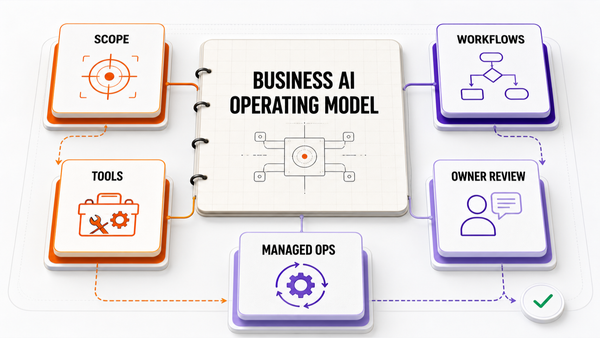
The Omni model: one managed AI Employee owns one recurring workflow; specialist employees add capacity around the same business context; your team keeps the judgment calls.

Direct answer: home service CRM automation is useful when it captures leads, cleans job notes, drafts follow-ups, updates CRM fields, reminds customers about estimates or invoices, and routes sensitive messages for staff approval. The safe setup is not "AI blasts every customer." The safe setup is AI drafts plus owner, dispatcher, or office-manager approval for pricing, complaints, discounts, warranty judgment, and customer promises.

What CRM automation needs to understand
Home-service CRM automation is not just sending reminders. A useful system needs to understand lead source, job type, customer status, estimate stage, invoice status, visit history, assigned owner, promised next step, and whether the message needs human approval.
The first job is accurate context. If the AI cannot read the customer record, job notes, and workflow state, the downstream follow-up gets messy.
Why home-service CRMs get messy
Most home-service teams do not lose revenue because nobody cares. They lose revenue because leads come from many places, calls are summarized inconsistently, estimates sit without follow-up, invoices age quietly, and review requests happen only when someone remembers. AI can help surface the next step, but it still needs source-of-truth fields and an approval ladder.
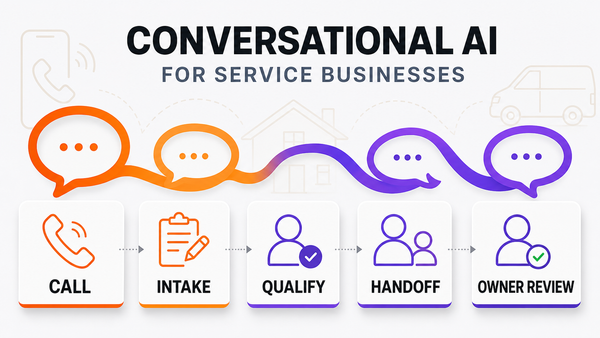
The safe workflow: answer, classify, draft, approve, log
| Step | What AI can do | Human gate |
|---|---|---|
| Lead intake | Capture source, customer details, job type, and requested next step. | Staff reviews unclear or high-value leads. |
| Job note cleanup | Turn messy call notes into structured CRM fields and summaries. | Human reviews unusual or sensitive notes. |
| Estimate follow-up | Draft follow-up messages based on age, amount, status, and customer context. | Office manager approves pricing-sensitive language. |
| Invoice reminder | Prepare polite reminders with payment status and next step. | Human approves overdue, disputed, or high-value accounts. |
| Review request | Queue review requests after completed jobs. | Staff suppresses bad-fit customers and unresolved complaints. |
Where CRM automation usually breaks
The common blocker is not the CRM tool. It is messy operational truth: duplicate contacts, incomplete notes, unclear owners, missing estimate status, disconnected invoice records, and no rule for who approves customer-facing messages.
The second failure mode is letting AI send messages it should only draft. Home-service businesses should keep pricing, refunds, discounts, warranty decisions, complaints, and public review replies behind approval gates.
What to connect first
Start with draft-only follow-up queues. The first version should connect lead sources, call summaries, job notes, estimate status, invoice status, review-request rules, and a CRM or field-service system such as ServiceTitan, Housecall Pro, Jobber, FieldEdge, HubSpot, Airtable, or a structured spreadsheet.
Once the intake flow is accurate, the next layer is managed monitoring: accepted drafts, rejected drafts, misclassified calls, failed tool calls, unresolved customer replies, and recurring exceptions.
How Omni Studio fits
Omni Studio is not a generic CRM plugin. It is a managed AI operations layer for home-service workflows. For operators, that means mapping lead intake, job notes, follow-up rules, approval gates, source-system connections, exception monitoring, and improvement loops after launch.
If you are evaluating home service CRM automation, start with an AI automation audit. If the workflow is already near live operations, review managed AI Ops. If you need to decide whether the workflow is ready for AI, use the AI Ops readiness scorecard.
FAQ
What is home service CRM automation?
Home service CRM automation captures leads, cleans job notes, drafts follow-ups, updates CRM fields, reminds customers about estimates or invoices, and routes sensitive messages for staff approval.
Can AI send CRM follow-ups automatically?
AI can draft and queue follow-ups, but pricing, discounts, warranty judgment, complaints, refunds, and customer-facing promises should stay approval-gated until the workflow is proven.
What should home service CRM automation connect to?
The safest stack connects lead sources, call summaries, job notes, estimates, invoices, CRM or field-service software, payment status, review requests, and a staff review queue.
Is Omni Studio replacing my office staff?
No. Omni Studio is a managed AI operations layer. It helps intake, draft, route, summarize, log, monitor, and improve workflows while owners and staff keep control of sensitive decisions.
Outside reference: IRS recordkeeping guidance is useful context for follow-up and back-office automation because invoices, receipts, and customer approvals need clean records. See IRS small business recordkeeping guidance.
References
Authoritative sources referenced in this article: