Platform Comparisons · 4 min read

Zapier vs Make vs n8n for Home Service Automation

A practical comparison for home-service operators choosing between Zapier, Make, n8n, and managed AI operations around real field-service workflows.

OS By Omni Studio · 05 Jun 2026
Omni Studio comparison of Zapier, Make, and n8n for home service automation across intake, dispatch, CRM updates, estimates, invoices, and approval gates.

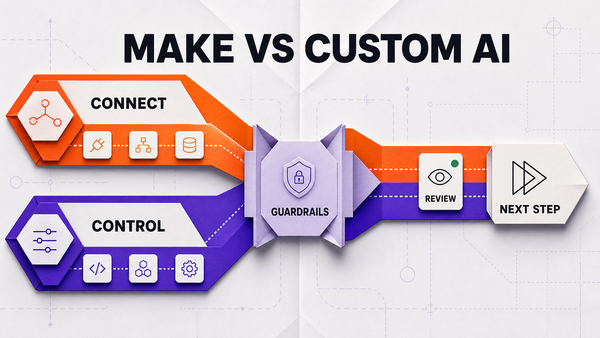
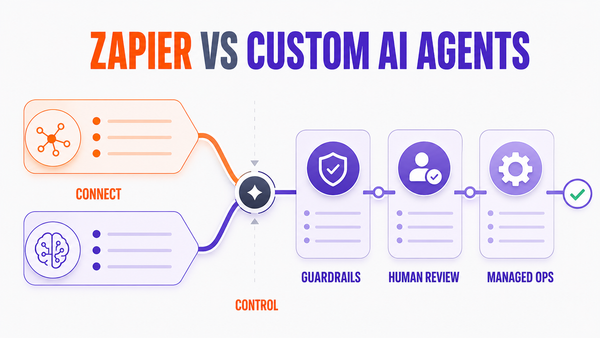
Direct answer: Zapier, Make, and n8n can all support home-service automation, but they fit different risk levels. Zapier is usually fastest for simple app-to-app handoffs. Make is strong for visual multi-step workflows. n8n is better when the business needs custom logic, deeper control, or self-hosting options. For dispatch, estimates, invoices, and customer promises, the real differentiator is not the tool alone. It is the managed approval and monitoring layer around the workflow.

The home-service question is not just which tool is best

Home-service workflows are operational. A missed call, dispatch change, estimate follow-up, invoice reminder, and review reply do not carry the same risk. The right tool depends on the workflow, source systems, staff review process, and what the automation is allowed to do.

The safe buying question is: which tool can support the workflow, and what approval layer keeps customer-facing actions under control?

Quick comparison

Tool Strong fit Risk to watch
Zapier Fast triggers, notifications, CRM updates, form-to-task flows, simple handoffs. Can get brittle when many branches, exceptions, or approval rules pile up.
Make Visual multi-step scenarios, branching, data transforms, intake and follow-up flows. Needs careful ownership when scenarios touch customer promises or live operations.
n8n Custom workflows, deeper control, code nodes, data handling, self-hosting options. Requires stronger technical ownership and monitoring discipline.
Managed AI Ops Approval queues, exception routing, failed-action review, QA, and ongoing improvement. Must be scoped clearly so the team does not automate too much at once.

How each tool fits home-service workflows

Workflow Zapier Make n8n
Missed-call intake Good for form, SMS, email, and CRM task creation. Good for branching intake scenarios. Good when transcript processing or custom logic is needed.
Dispatch triage Useful for notifications and simple task routing. Useful for route, skill, and urgency branches. Useful when rules are custom and source data is complex.
CRM updates Good for simple field updates and task creation. Good for multi-system transforms. Good for custom data handling and API-heavy workflows.
Estimate follow-up Good for reminders and handoffs. Good for quote-age branches and status checks. Good for custom scoring, approval queues, and deep CRM logic.
Invoice follow-up Good for reminders and owner alerts. Good for payment-status branching. Good for custom finance-system logic and audit trails.

Where workflow tools usually break

The common blocker is not the automation platform. It is unclear operational truth: incomplete customer records, stale job notes, missing technician skills, disconnected invoice status, unclear estimate ownership, and no rule for who approves customer-facing messages.

The second failure mode is letting an automation send, assign, or promise work it should only draft or recommend. Home-service teams should keep emergency priority, arrival windows, overbooking, pricing, refunds, warranty references, complaints, and public review replies behind approval gates.

What to connect first

Start with low-risk workflow surfaces: missed-call capture, CRM task creation, internal notifications, job note cleanup, estimate follow-up drafts, invoice follow-up reminders, and owner alerts. Avoid starting with autonomous dispatch promises or financial/customer-facing actions.

Once the first workflow is accurate, add managed monitoring: accepted drafts, rejected drafts, failed tool calls, unresolved replies, stale source data, and recurring exceptions.

How Omni Studio fits

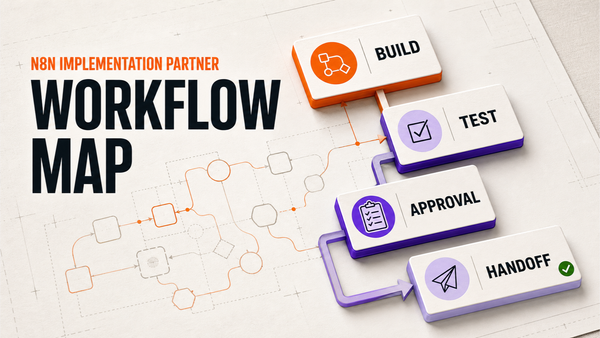
Omni Studio is not locked to one workflow tool. We can use Zapier, Make, n8n, custom code, AI agents, or a hybrid stack depending on the job. The important part is the operating layer: workflow mapping, source-of-truth review, approval queues, exception monitoring, QA, and improvement after launch.

If you are comparing Zapier, Make, and n8n for home service automation, start with an AI automation audit. If the workflow is already near live operations, review managed AI Ops. If you need to decide whether the workflow is safe enough, use the AI Ops readiness scorecard. For adjacent workflows, read AI dispatcher for home services, home service CRM automation, and estimate follow-up automation for contractors.

FAQ

Is Zapier, Make, or n8n best for home service automation?

It depends on operational risk. Zapier is often fastest for simple app handoffs, Make is strong for visual multi-step scenarios, and n8n is better when the workflow needs custom logic, self-hosting, or deeper control.

Can these tools automate dispatch for HVAC and plumbing companies?

They can support intake, notifications, CRM updates, and routing suggestions, but emergency priority, arrival promises, overbooking, pricing-sensitive language, and technician assignments should stay approval-gated.

When does a home-service business need managed AI Ops instead of only Zapier, Make, or n8n?

Managed AI Ops matters when the workflow touches customer promises, dispatch, estimates, invoices, review replies, failed tool calls, source-data quality, and recurring exception review after launch.

How does Omni Studio use these tools?

Omni Studio can use Zapier, Make, n8n, custom code, or AI agents depending on the workflow, then adds mapping, approval queues, monitoring, QA, and improvement loops around the chosen implementation.

OS
Omni Studio