Field Service & Back Office AI · 4 min read

AI Receptionist for Home Services: What Actually Works for HVAC, Plumbing, and Field Teams

A practical guide for home-service owners evaluating AI receptionists: what AI can answer, what dispatch should approve, and what needs monitoring before it touches customers.

OS By Omni Studio · 04 Jun 2026
AI Receptionist for Home Services: What Actually Works for HVAC, Plumbing, and Field Teams - Omni Studio home-service AI operations hero image

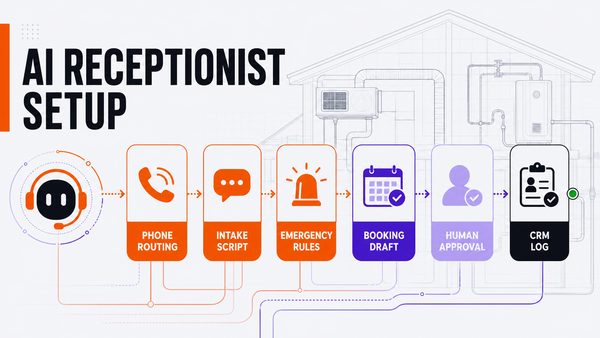
Direct answer: an AI receptionist for home services works best when it captures calls, classifies urgency, drafts booking notes, updates the CRM, and routes exceptions while a dispatcher, owner, CSR, or office manager approves sensitive actions. For HVAC, plumbing, roofing, electrical, and other field-service teams, the goal is not to replace the front office. The goal is to stop missed-call leakage while keeping human control over promises, pricing, emergency handling, and customer trust.

What a home-service AI receptionist should actually do

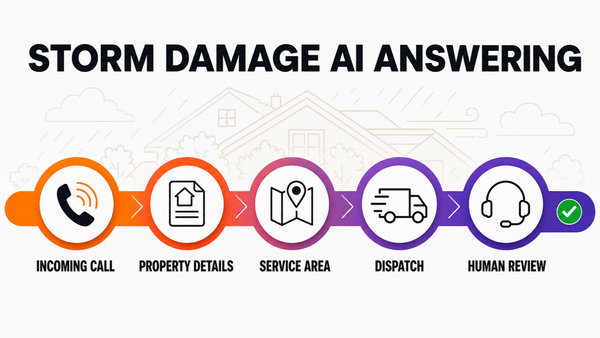
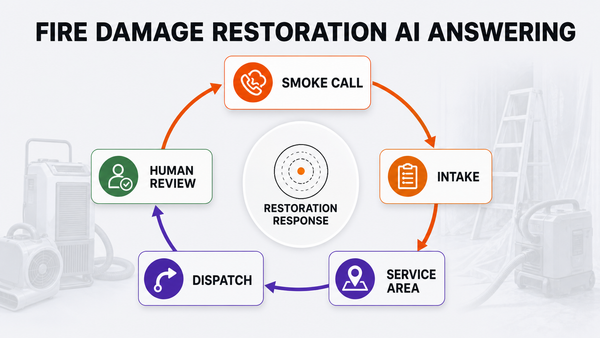
The useful version is specific to how trades businesses operate. It should answer or respond quickly, ask for the customer name, location, job type, urgency, property type, photos if available, and preferred time window. Then it should summarize the call, classify the request, and route the next step into the systems your team already uses.

For an HVAC shop, that may mean separating no-cool emergencies from maintenance-plan questions. For a plumbing company, it may mean distinguishing a burst pipe, drain cleaning request, water heater problem, warranty question, or outside-service-area call. For an electrical contractor, it may mean separating safety issues from routine estimate requests.

The safe workflow: answer, triage, draft, approve, log

Step What AI can do Human gate
Call intake Capture caller details, transcript, job type, address, urgency, and source. None for low-risk data capture.
Dispatch triage Suggest emergency, routine, estimate, warranty, or outside-area classification. Dispatcher approves edge cases and emergency promises.
Booking draft Prepare a proposed appointment window from calendar rules. Office manager approves schedule changes and exceptions.
Customer reply Draft SMS or email confirmation in your brand voice. Human approves pricing, discounts, refunds, and arrival commitments.
CRM logging Attach transcript, summary, owner, next step, and follow-up task. Weekly review catches gaps and workflow drift.

Where most AI receptionist setups get risky

The risky version lets the agent promise too much. A home-service business should not let AI automatically quote jobs, change pricing, accept refunds, override service-area rules, make legal commitments, send policy exceptions, or promise emergency arrival windows without a human checkpoint. Those actions affect customer trust and operational liability.

The safer approach is to create permission levels: read-only context, draft-only output, approval-gated execution, and never-automatic decisions. The more irreversible the action, the closer it should stay to a human owner.

What to connect first

Start with the smallest workflow that leaks money or time every week. For many home-service businesses, that is missed-call response or after-hours intake. The first integration stack usually includes phone forwarding or call capture, calendar availability, your CRM or field-service software, service-area rules, dispatch notes, transcript storage, and a review queue.

If the business uses ServiceTitan, Housecall Pro, Jobber, FieldEdge, Google Calendar, Airtable, HubSpot, or a custom spreadsheet, the implementation should begin by mapping what AI can read, what it can draft, what it can update, and what requires approval.

How Omni Studio fits

Omni Studio is not a generic chatbot install. It is a managed AI operations layer for small-business workflows. For home-service teams, that means designing the intake logic, connecting the source systems, creating the approval gates, monitoring exceptions, reviewing failures, and improving the workflow after launch.

If you are evaluating AI receptionist software for a home-service company, start with an AI automation audit. If the workflow is already live or close to live, review managed AI Ops. If you need to decide whether a workflow is safe enough for AI, use the AI Ops readiness scorecard.

FAQ

What is an AI receptionist for home services?

An AI receptionist for home services answers or responds to inbound calls, captures job details, classifies urgency, drafts booking notes, routes exceptions, and logs the result for an owner, dispatcher, CSR, or office manager to review.

Can an AI receptionist book HVAC or plumbing jobs automatically?

It can prepare bookings and handle low-risk scheduling rules, but emergency calls, pricing language, service-area exceptions, arrival promises, refunds, and policy exceptions should stay approval-gated until the workflow is proven.

What should a home-service AI receptionist connect to?

The safest stack connects phone intake, calendar availability, CRM or field-service software, service-area rules, dispatch notes, transcript storage, review queues, and a managed monitoring process.

Is Omni Studio replacing my dispatcher or CSR?

No. Omni Studio is positioned as a managed AI operations layer. It helps intake, draft, route, summarize, log, monitor, and improve workflows while humans keep control of sensitive customer-facing decisions.

OS
Omni Studio